Copy text from any page
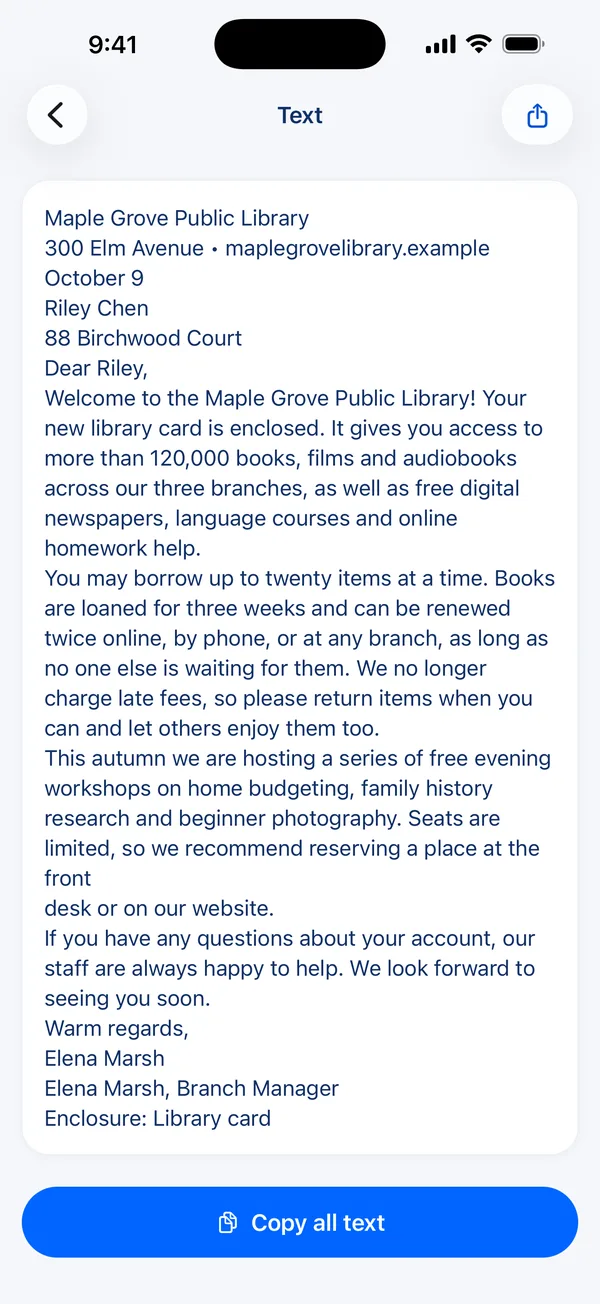
Scan a page and Scan Page reads its text on your iPhone. Copy it, share it, or find the document later by searching for a word on the page.

How to do it
- Scan the page, or open a document you have already scanned.
- Tap Extract text.
- Tap Copy all text, or select just the part you need.
- Paste it into Notes, a message or an email — or tap Share to send it as a text file.
Recognised on your device
Text recognition runs on your iPhone using Apple's on-device engine. Your pages are not sent to a server to be read, and it works without a connection.
Search every scan by what it says
Because every page's text is recognised as it is saved, the search box on your library finds documents by their contents, not just their names. Search for a supplier, an amount or an address and the right receipt comes up.
Questions
Does it work with handwriting?
It is built for printed text. Neat handwriting is often recognised; untidy handwriting may not be.
Which languages does it recognise?
Apple's on-device recognition detects the language automatically and supports many languages written in the Latin alphabet, as well as several others.
Is copying text free?
Searching your library by the words on a page is free. The Extract text screen is part of Scan Page Pro.
Get Scan Page
Scanning is free and your documents never leave your device. Scan Page Pro unlocks opening, exporting, signing and sharing what you capture.
More you can do
Scan to Word
Turn a paper document into an editable Word file on your iPhone. Scan it, and Scan Page exports the recognised text as a .docx — along with PDF, JPG and plain text.
Business cards to Contacts
Scan a business card and save the person straight to your iPhone Contacts — name, company, title, phone, email and website filled in, with the company's logo as the photo.
Scan to PDF
Scan paper documents to clean, searchable PDFs on your iPhone. Automatic edge detection, perspective correction and multi-page scanning, with nothing uploaded.