Scan business cards straight into your Contacts
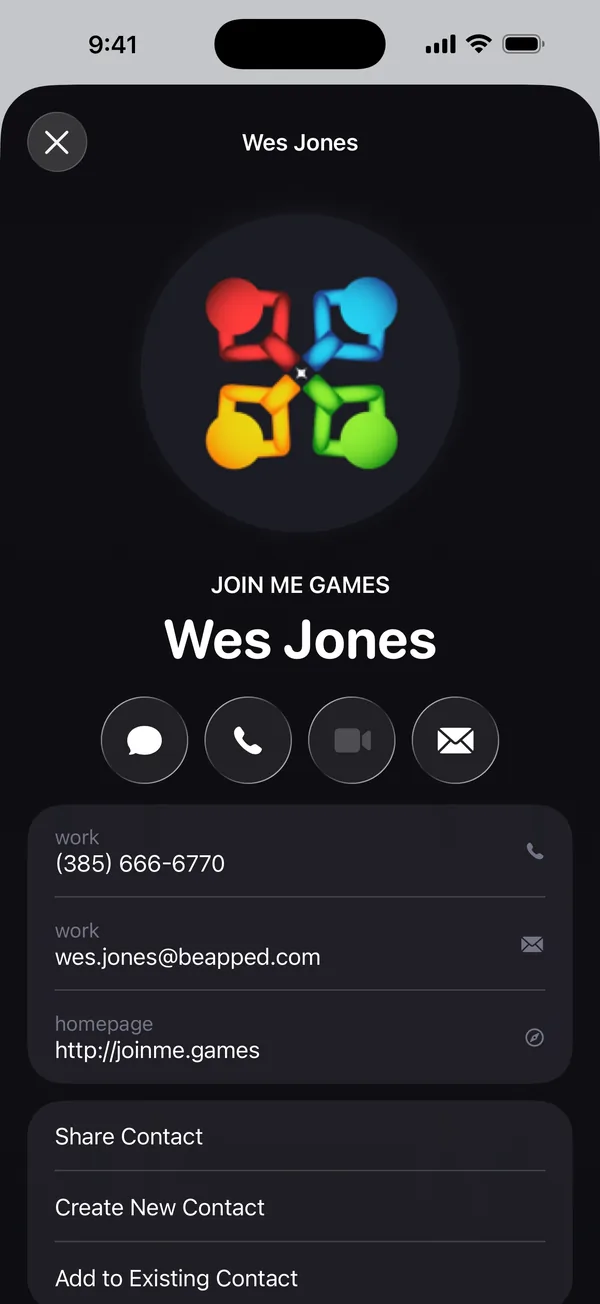
Scan a card and Scan Page reads the name, company, title, phone number, email and website, then hands them to iPhone Contacts — with the company's logo as the contact photo.

How to do it
- Open Tools and tap Business card.
- Scan the card. Lay it flat on a darker surface so its edges stand out.
- Scan Page offers the contact as soon as the scan opens. Tap Add to Contacts.
- Check the details on Apple's contact screen, then tap Create New Contact — or Add to Existing Contact to update someone you already have.
Any document with contact details, not just cards
Scan Page looks for people on every document you scan. A letterhead, an email signature, a printed attendee list — wherever a name sits with a phone number or email address, the document shows Contact found.
When a page lists several people, each one is found separately, with their own title and details. Save them one at a time, or share them all as a single vCard file.
The company's logo becomes the contact photo
If the card shows a website — or a work email address — Scan Page loads the icon that company publishes on its own site and uses it as the contact's photo. If there is no website, it uses the logo printed on the card, and failing that, the card itself.
That request goes straight from your iPhone to the company's website, only when you save a contact. Nothing from your scan is sent anywhere.
No Contacts permission needed
Saving goes through Apple's own contact screen, the same one Messages uses for an unknown number. You see exactly what will be saved, you can edit it first, and the app never asks for access to your address book.
Questions
Does it work with cards that have a dark background or unusual fonts?
Text recognition handles most printed cards, including light text on dark stock. You always review the details on Apple's contact screen before anything is saved, so a misread line is easy to fix.
Can I export contacts as a vCard?
Yes. Choose Share as vCard to send a .vcf file to another phone, your email or a CRM. Several people on one page go out as one file.
Is the business card scanner free?
Scanning the card is free. Saving the contact or sharing it as a vCard is part of Scan Page Pro.
Get Scan Page
Scanning is free and your documents never leave your device. Scan Page Pro unlocks opening, exporting, signing and sharing what you capture.
More you can do
Copy text from a scan
Copy the text from a printed page on your iPhone. Scan Page recognises text on the device, so you can copy, share or search the words on any scan.
Scan to PDF
Scan paper documents to clean, searchable PDFs on your iPhone. Automatic edge detection, perspective correction and multi-page scanning, with nothing uploaded.
Scan to Word
Turn a paper document into an editable Word file on your iPhone. Scan it, and Scan Page exports the recognised text as a .docx — along with PDF, JPG and plain text.